Late one evening, a homeowner discovers a bursting pipe flooding his kitchen. Rather than waiting until morning, he opens his smartphone and searches for “emergency plumber near me.” Within a fraction of a second, Google displays search results, with a sponsored advertisement occupying the top spot. He clicks the ad and immediately places a call.
The plumber didn’t knock on doors or send direct mailers. They simply ran a strategic campaign on Google to rank at the exact moment a customer was ready to buy. This is the power of Search Engine Marketing (SEM).
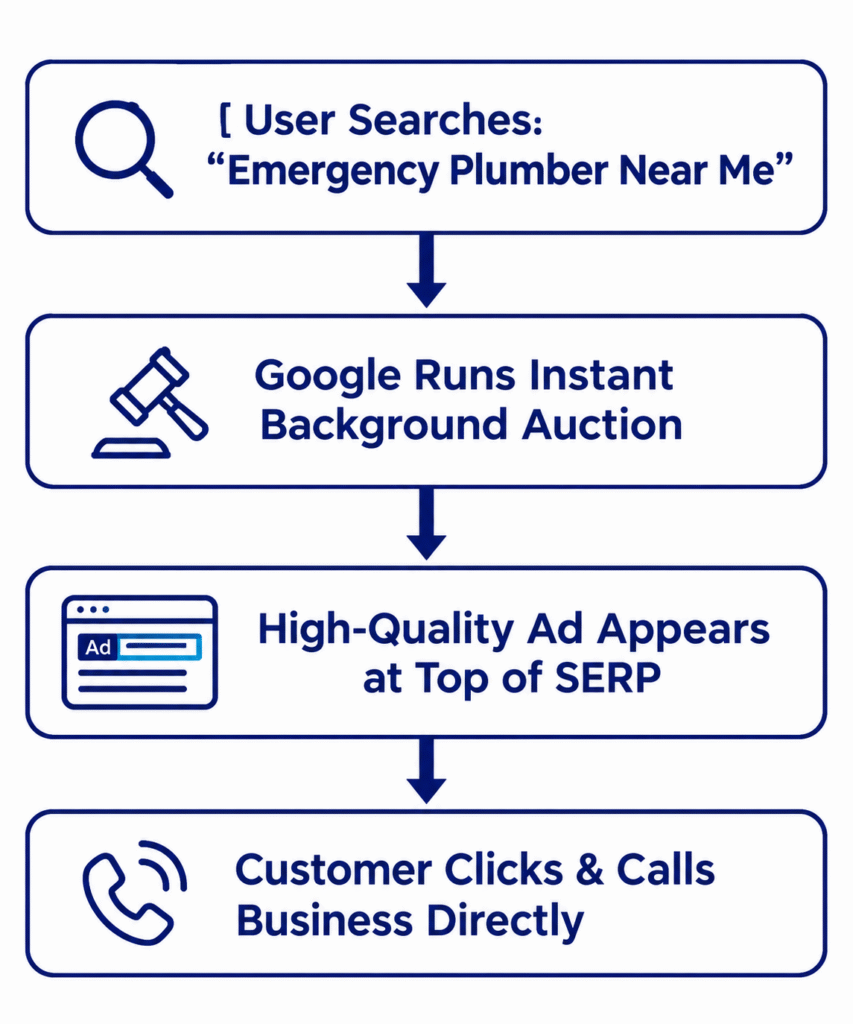
Whether you want to drive local phone calls, generate qualified leads, or boost e-commerce sales, mastering the basics of Google Ads provides the fastest route to reaching ready-to-buy customers.
What is Google Ads?
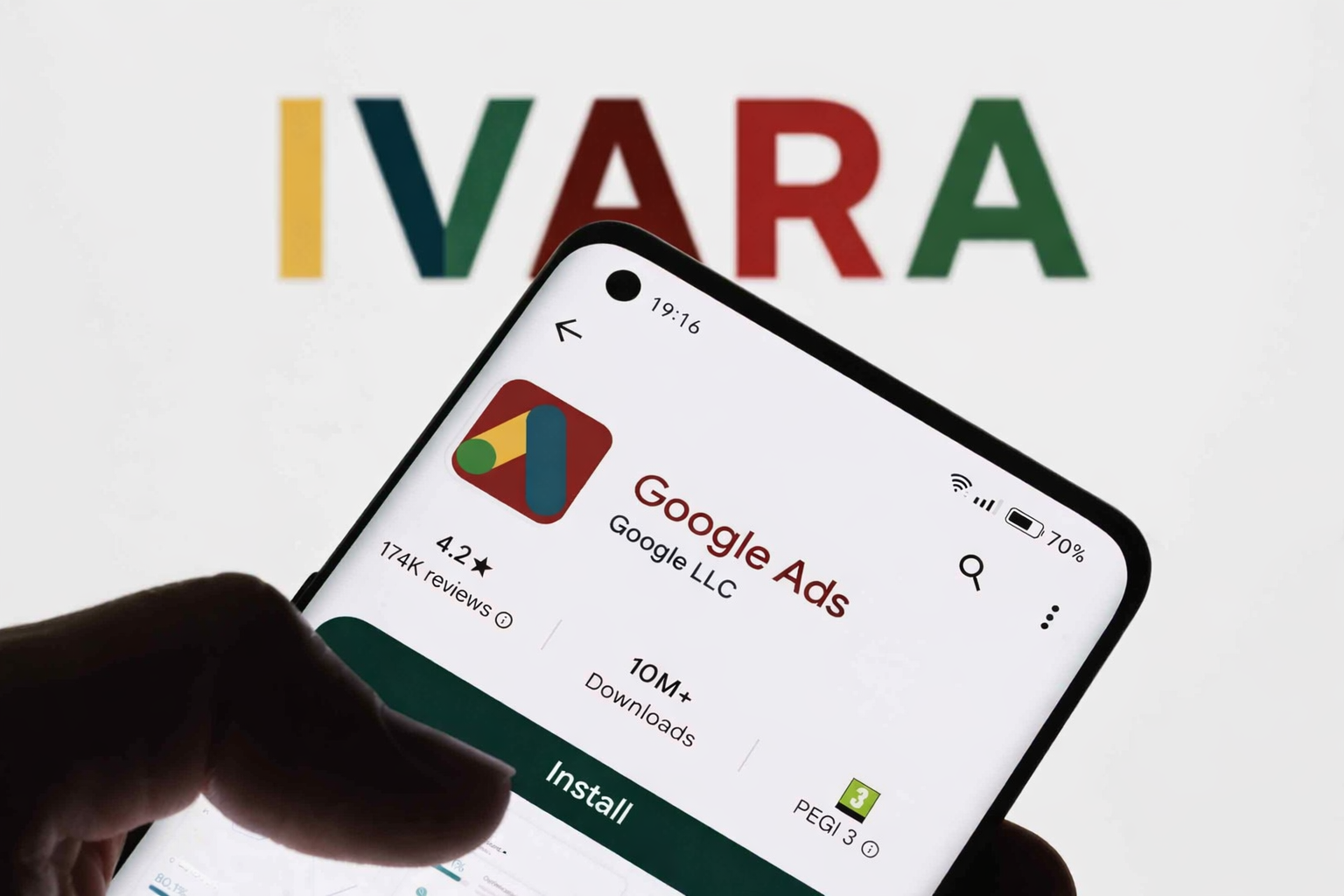
Google Ads (formerly Google AdWords) is Google’s pay-per-click (PPC) advertising platform. Introduced in October 2000, it allows businesses to place sponsored promotional ads across search engine results pages (SERPs), YouTube videos, mobile apps, and over 2 million websites within the Google Display Network (GDN).
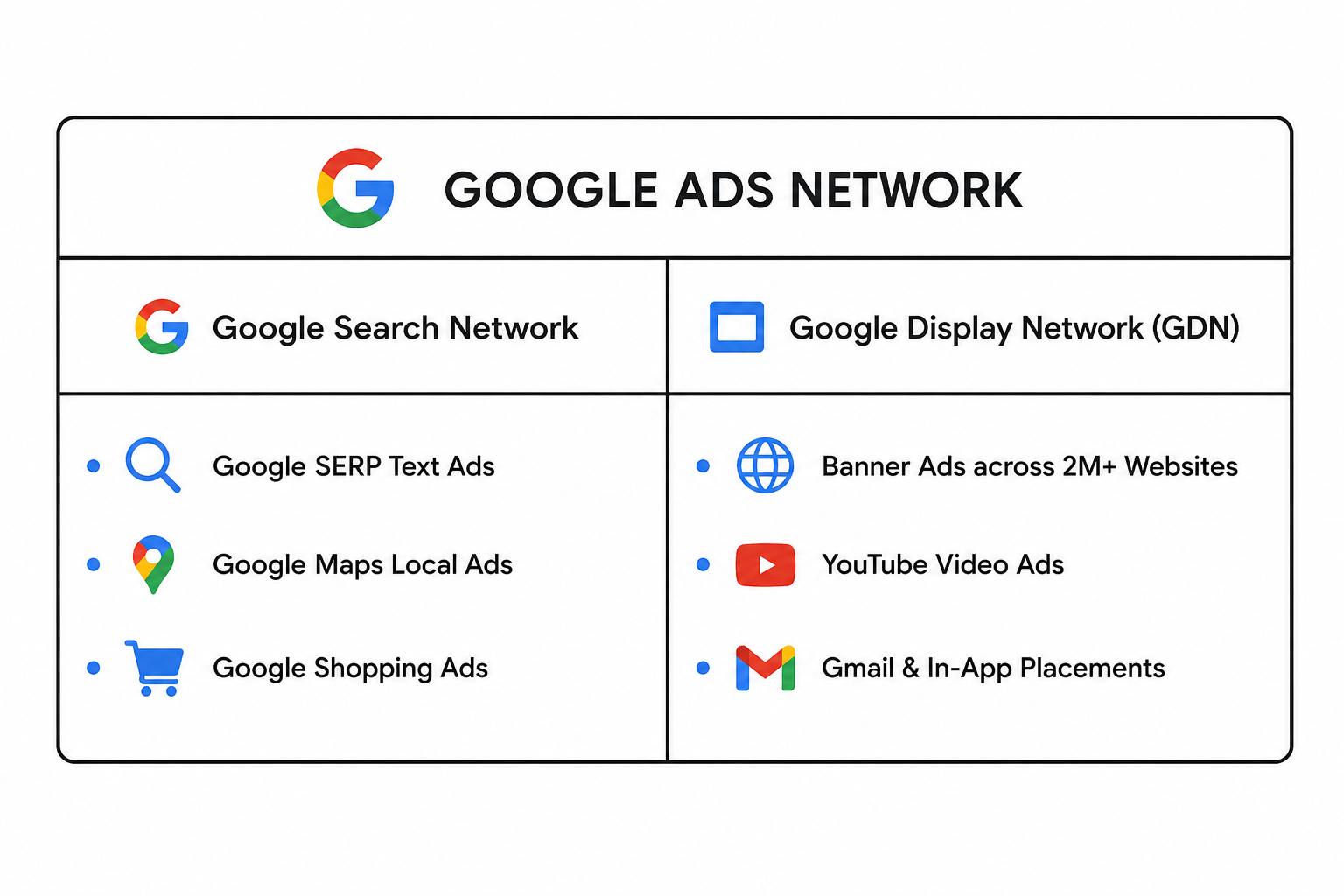
Unlike traditional advertising where you pay a flat fee regardless of engagement, PPC advertising charges you only when a user actively clicks on your ad. Over 7 million businesses use Google Ads as a primary growth channel because it targets user intent rather than demographic guessing.
Key takeaway: Search engine optimization (SEO) builds organic traffic over time, whereas Google Ads delivers instant, measurable visibility the moment your campaign goes live.
How Google Ads Works:
Every time a user conducts a search on Google, an instant, automated auction occurs behind the scenes. Google evaluates eligible advertisers based on two main factors: Bid Amount and Ad Rank.
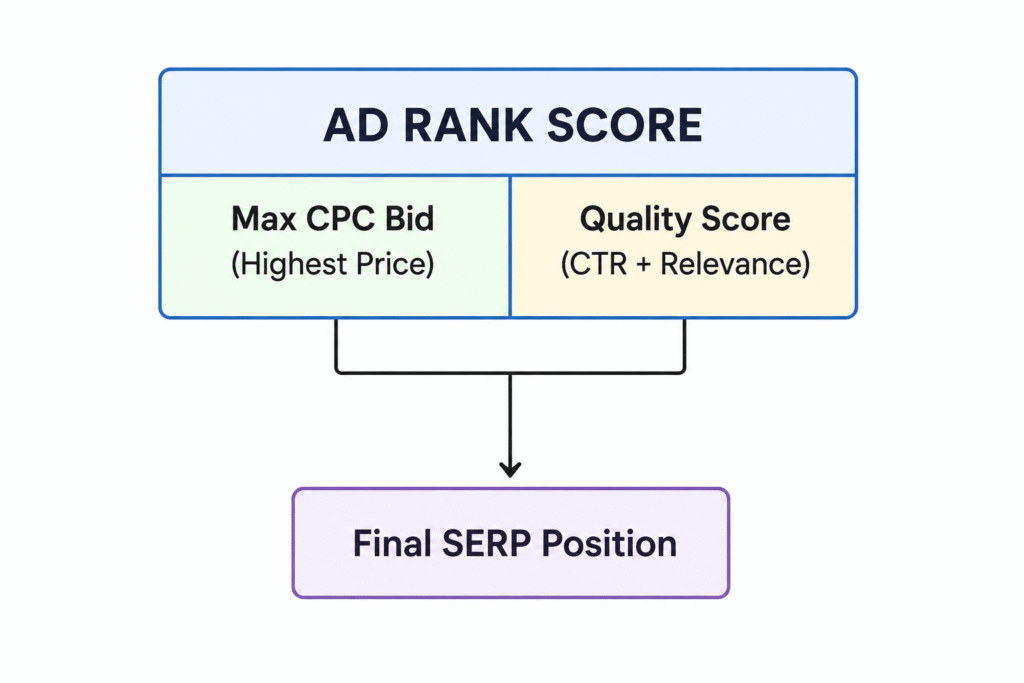
1. The Bidding System
Your bid represents the maximum amount you are willing to pay for a click on your ad (Cost-Per-Click or CPC).
2. Quality Score & Relevance
Google does not display ads based on budget alone. To protect user experience, Google assesses your Quality Score (scored from 1 to 10) based on three criteria:
- Expected Click-Through Rate (CTR): The likelihood that users will click your ad.
- Ad Relevance: How closely your ad text matches the user’s search query.
- Landing Page Experience: How relevant, fast, and navigational your landing page is to the searcher.
The 6 Core Google Ads Campaign Types
Selecting the right campaign structure depends directly on your business model and audience behavior:
| Campaign Type | Best For | Placement Location |
| Search Campaigns | Lead Generation & Urgent Services | Top/Bottom of Google Search Engine Results Pages |
| Display Campaigns | Brand Awareness & Retargeting | Visual Banner Ads across 2M+ Websites & Apps |
| Shopping Campaigns | E-Commerce Product Sales | Google Search Shopping Tab & SERP Product Cards |
| Video Campaigns | Product Demonstrations & Branding | Pre-roll and In-feed placements on YouTube |
| App Campaigns | Mobile App Downloads | Google Play Store, Search, YouTube, & Display Network |
| Performance Max | Automated Multi-Channel Optimization | All Google Ad Channels simultaneously via AI |
Step-by-Step Guide to Launching Your First Campaign
Setting up your initial Google Ads campaign requires a methodical setup:
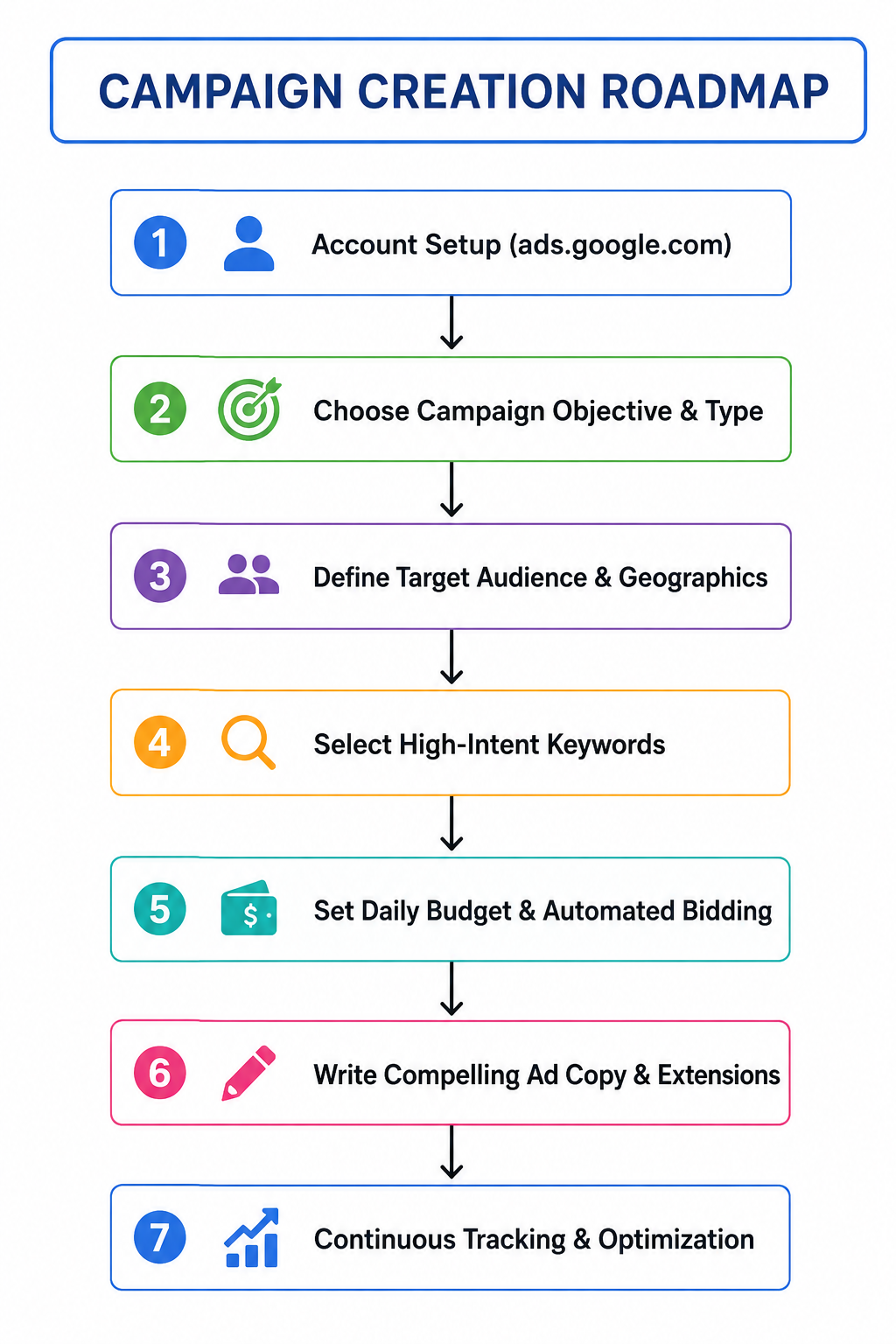
Step 1: Create Your Account
Navigate to ads.google.com and log in with your primary business Google account. Set up your billing profile and business identity.
Step 2: Define Target Demographics & Geographies
Select precise target parameters to prevent budget waste:
- Location Targeting: Target specific cities, postal codes, or radius parameters around your brick-and-mortar storefront.
- Device Targeting: Target mobile users specifically if your main conversion metric is phone calls.
Step 3: Conduct Intent-Focused Keyword Research
Use Google’s built-in Keyword Planner to find search phrases used by target customers:
- Focus on Long-Tail Phrases: Target multi-word terms with high intent (e.g., “emergency commercial electrician in Leeds”).
- Add Negative Keywords: Exclude irrelevant queries like “free,” “jobs,” or “DIY” to avoid paying for unqualified clicks.
Step 4: Set Bidding Strategies & Budgets
Set a daily budget that aligns with your monthly marketing allocation. Choose a bidding strategy tailored to your campaign goals:
- Maximize Clicks: Best for driving maximum traffic on a set budget.
- Maximize Conversions: Best for generating form submissions, sales, or sign-ups.
Step 5: Craft High-Converting Ad Copy
Write ads that match search intent while offering a clear unique value proposition:
- Include your primary keyword in Headline 1.
- Address customer pain points in the description lines.
- Add a clear Call to Action (CTA) (e.g., “Call Today for a Free Quote” or “Shop Online Now”).
- Enable Assets (Extensions) like sitelinks, callouts, and location markers to increase ad real estate.
Why Google Ads is Essential for Small Businesses
For startups and small businesses, digital visibility is often a major challenge. Google Ads acts as a targeted spotlight, allowing small companies to compete directly against larger industry players.
- Flexible Budget Controls: Start with modest daily spends, monitor performance metrics in real time, and scale budgets up as you establish profitability.
- Measurable ROI: Google Ads offers analytics tools that track every dollar spent back to specific clicks, phone calls, form completions, and online sales.
- Hyper-Targeted Advertising: Filter audiences by geographic radius, specific time windows, language, and past site activity (remarketing).
FAQs
What are the basics of Google Ads?
You can easily set up your advertising and track your results using Google Ads. Create your ad, choose the keyword you want to target, fix your daily advertising budget, and establish an account to get started and You’re done! Google Ads are entirely worth it for all scales of businesses.
What is Google Ads’ primary objective?
Google Ads’ primary objective is to increase sales, leads, or website traffic by displaying your business to individuals who frequently use Google to search for the products or services that you provide.
How much do Google Ads pay for 1000 views?
Google pays $0.2 to $2.5 for every 1,000 views. However, it depends on a variety of criteria, such as the information on your website, user location, duration spent on the web page, and device breakdown.
Does Google Ads charge every month?
Usually, charges don’t occur every month or at the end of the month. They are mostly dependent on payment limits, or the predetermined amount of expenses that your account hits, and the charges may occur more than once a month.
How soon can I see the results from Google Ads?
Results from Google Ads can be very instant. Ads can be displayed within hours of a campaign becoming live, which makes it perfect for immediate exposure and generating leads.
Does running Google Ads require a website?
It is strongly advised to have a website since it facilitates the conversion of visitors into leads or sales. Nonetheless, some ad formats, such as local or call-only ads, can function with very few web pages.
Final Thoughts
Understanding the basics of Google Ads empowers you to build predictable, measurable client generation channels. By pairing strategic keyword selection with strong ad copy and dedicated landing pages, your campaigns will turn online searches into long-term business growth.